Real-Time 3D Sign Creator
Craft persistent 3D text signs from physical letter props and place them in-world in real-time!
Price: 13.99 EUR
Frameworks: esx, qbcore, standalone, tmc, vrp, qbox
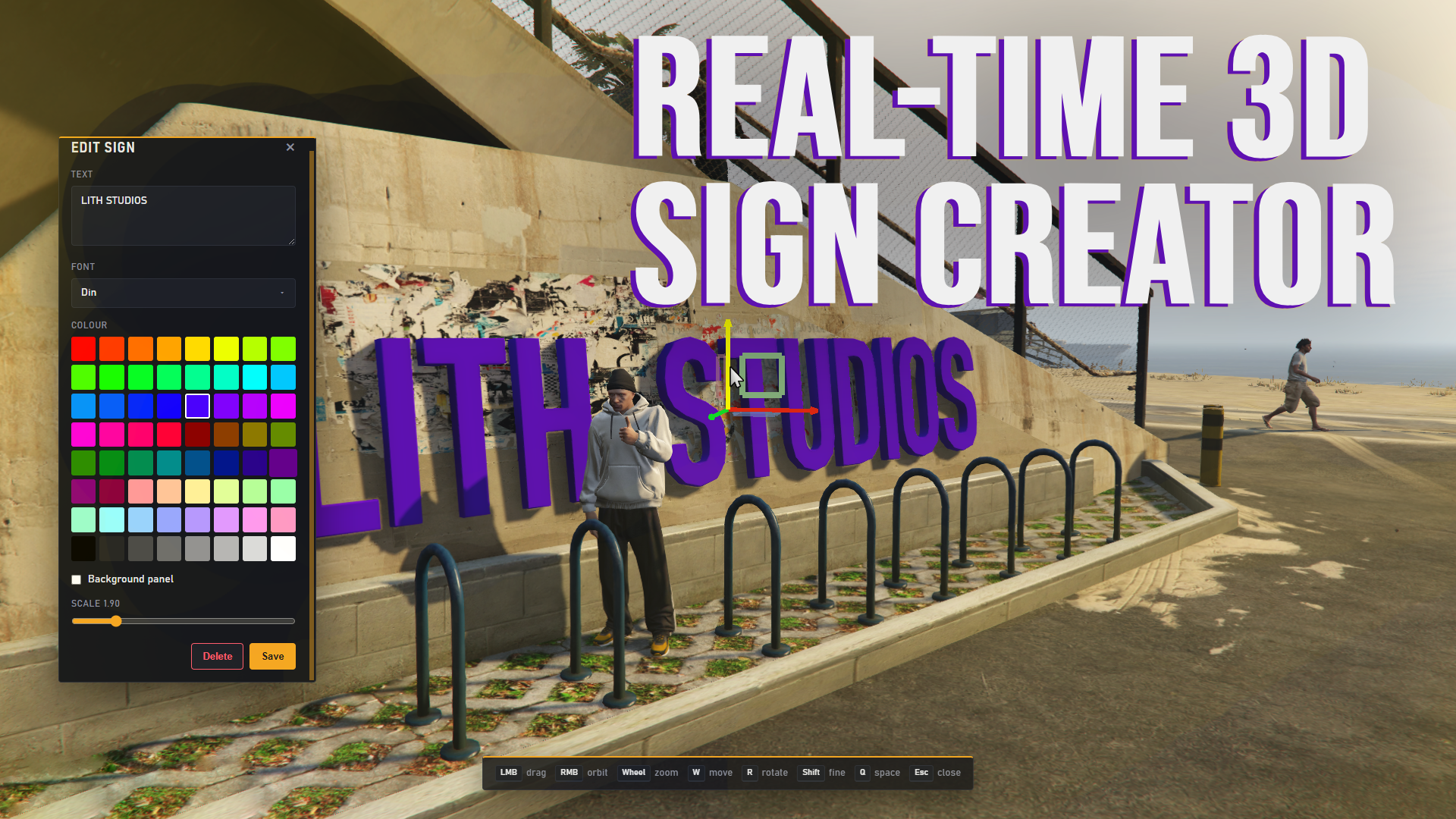
Key features
- Sign Creator with live 3D preview
- 64 colours for letters and background panels
- In-world gizmo and editor camera - all in game
- Optional auto-sized Background panel
- Pluggable Font packs discovered automatically at runtime
Description
Take total control of your server's in-world text with ls_signs . No more flat DrawText labels or one-off prop hacks. Now you can compose, colour, and place real 3D Signs directly in-game, from a single-line shop name to a multi-line venue banner, and save them so they persist for every player who walks by. What can you put up? With ls_signs, your only limit is where you place the Sign. Need a bold storefront above the door? Type it, tint it, save it. Running a weekend event and want a banner over the plaza? Multi-line text, contrasting panel, done. Does this work on any server? Yes. ls_signs is a standalone admin tool with no ESX, QBCore, or Qbox dependency. Access is gated by ACE permissions you control in `server.cfg`. Add a Font resource, ensure `background_panel` for optional panels, connect oxmysql, and your admins can start placing Signs. Does it work for other languages? Yes, text is not limited to plain ASCII. Extended European letters ship as dedicated Glyph meshes in Font packs. Some fonts may not support all extended characters. Basic letters: A–Z (uppercase) Digits: 0–9 Punctuation & symbols: `!` `#` `&` `'` `(` `)` `,` `-` `.` `/` `:` `;` `?` `@` `+` `$` `%` `=` `[` `]` `€` `£` `¥` Extended European letters: Ą Č Ę Ė Į Š Ų Ū Ž Ä Ö Ü Å Ñ Ç É È Ê Á À Â Ó Ò Ô Í Ì Î Ú Ù Û 3D Glyph Signs Each Sign spawns as individual 3D letter and punctuation props. Multi-line messages stack with adjustable line spacing; uniform scale resizes the whole block. Players see physical text in the world rather than flat overlays, which reads well for storefronts, venues, and roleplay districts. In-world gizmo & editor camera Positioning is part of the Sign Creator, not a separate step afterward. A custom translate/rotate gizmo drives the Sign in real time while a scripted editor camera frames the readable face — orbit with right-click, zoom with the scroll wheel, and undo or redo transform drags with Z and Shift+Z. The panel only captures keyboard focus when the cursor is over it, so you can drag handles and orbit freely between edits. Background panel Toggle an optional Background panel behind the Glyphs for contrast on busy streets. The panel auto-sizes to the text block plus padding, carries its own tint independent of the Glyph colour, and can be widened or heightened with sliders. One prop, one tint index — no manual mesh scaling in a separate tool.